
Campaign Guests
Sharing Opportunities via campaigns is an automatic way to invite someone to view Opportunities coming in from a campaign for quality review or any other purposes. This is useful if you have a marketing company sending you leads. We will integrate it in a way where their leads will automatically populate into your system and attach it to a campaign. You can then add a representative of the marketing company as a guest inside of that campaign so they are immediately invited as soon as a lead comes in for them to check the quality.
How to Add Campaign Guests
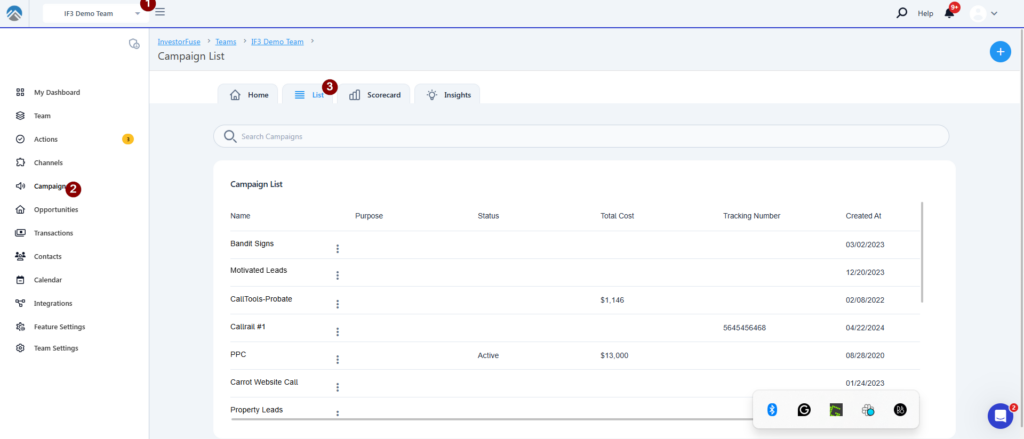
- Select the Team you’d like to view
- Click Campaigns which will route you to your Campaign List
- Select the Campaign where you want the opportunities coming in to be automatically shared
- Click Settings
- Select Guests
- Enter the emails of the individuals that you want to be automatically invited. If entering multiple emails, separate using a comma.
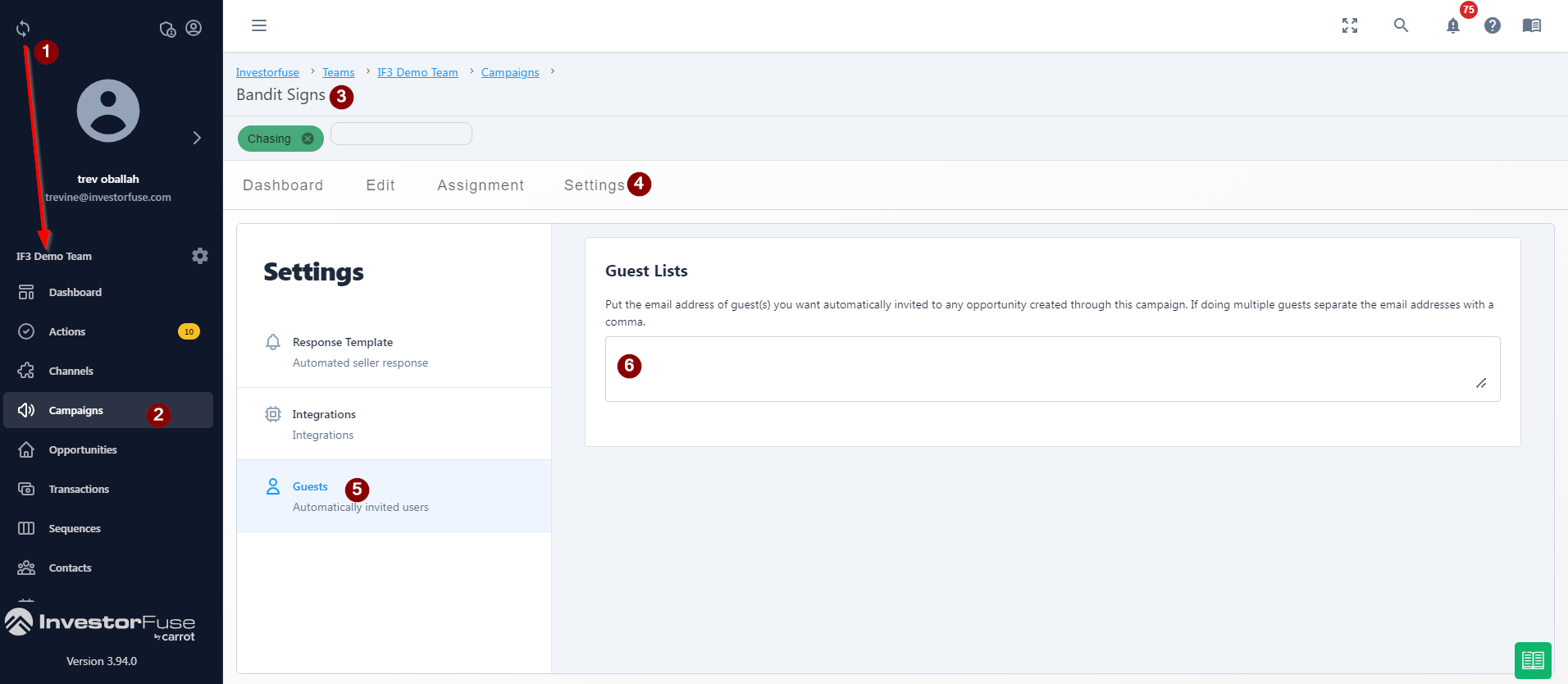 This section is auto-save so there is no need to look for a save button. Once done, all opportunities created from your lead source and linked to the campaign will be automatically shared with the listed emails.
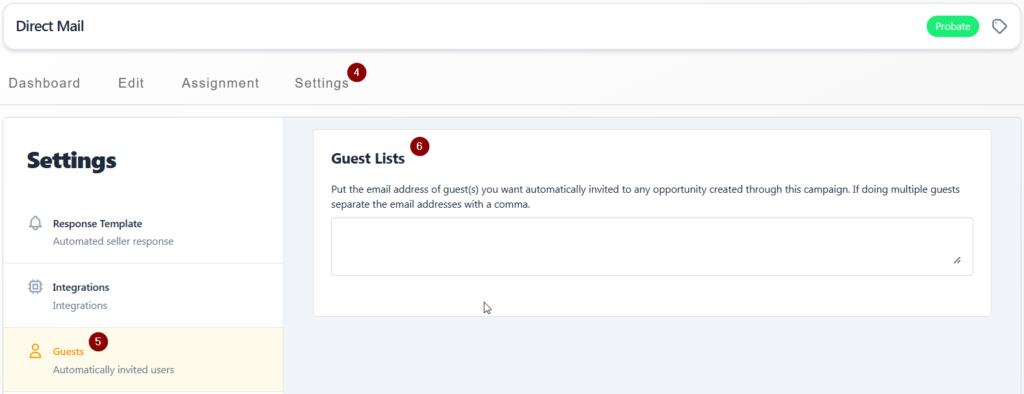
Guests added to a campaign will automatically have receive an invite and have access to opportunities created through the campaign.
Conclusion
Having campaign guests allow you to automatically share a new lead that comes in via a specific lead source to a marketing team, or a potential business or JV partner, allowing them visibility and the capability to add comments and notes to the opportunities as needed. This provides a level of collaboration if you don’t want to add them as a team member or user to your CRM workspace in the meantime.
Was this article helpful?