
Domain Setup
We need a domain to connect a from-email in Carrot CRM to message sellers with, so a non-business e-mail like @gmail.com or @yahoo.com is not possible to integrate.
A domain is an address to a website that you purchase from registrars like Godaddy, Namecheap, Squarespace Domains, etc. You can build a website using the domain so that sellers can find your company, but you do not need a live website to connect an email to Carrot CRM.
This guide will cover:
Step 1: How to Buy a Domain
There are a lot of instructions online on how to buy a domain from different registrars. Here are the guides for the most common providers available.
- GoDaddy
- Namecheap
- Squarespace Domains (Google Domains was acquired by Squarespace in 2023 and is no longer available as a standalone registrar)
🚨 IMPORTANT: Your domain does not have to have an email functionality nor do you need to create an email before you can use it in Carrot CRM. As long as you own the domain, you can connect any email you would like.
Step 2: Add DNS records
After you purchase a domain and enter it in the CRM, the system will generate TXT and CNAME DNS records that you will need to add to your domain. Follow the instructions below to learn how to add the records.
Godaddy
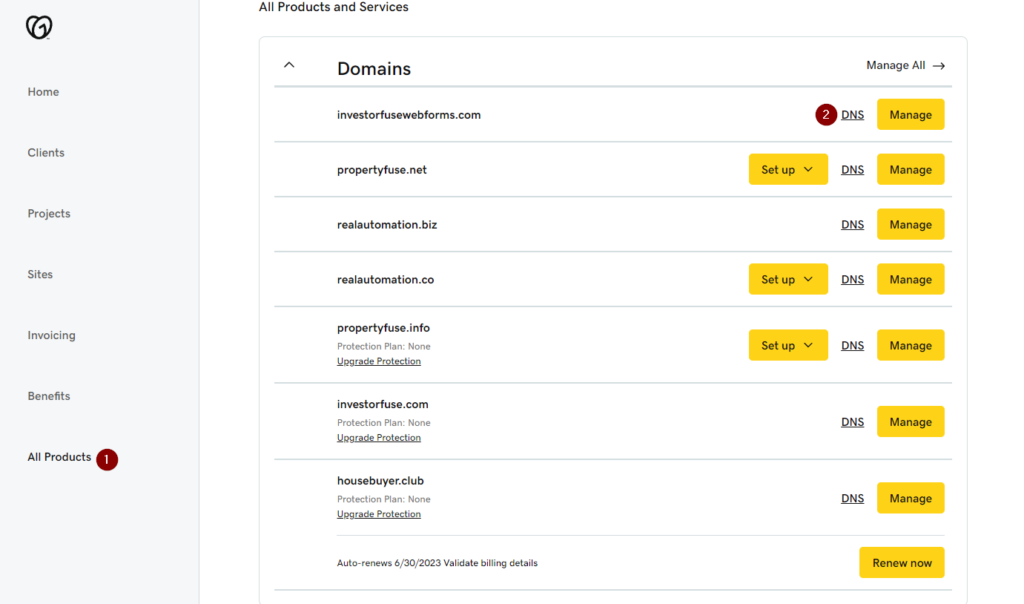
- Go to your My Product page to see the domains in your account
- Find the domain you are using and click the DNS button to the right
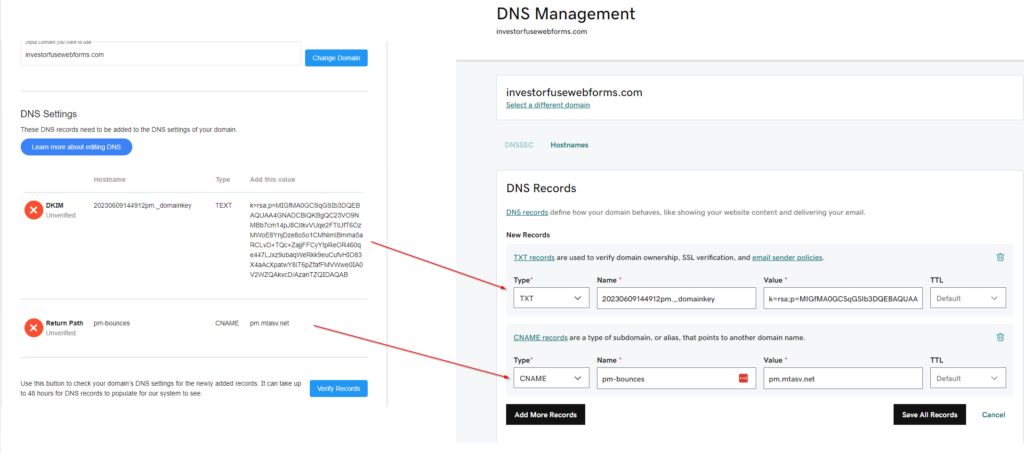
- Create TXT and CNAME records in Godaddy and copy the values from the CRM
- Click Save All Records to confirm
Namecheap
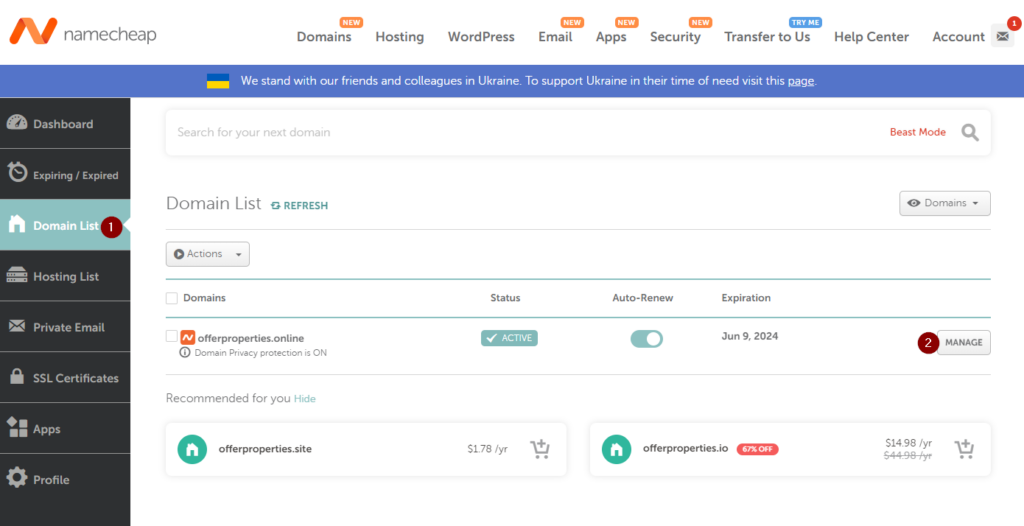
- Go to your Domain List in Namecheap
- Click the Manage button to the right of the domain that you want to use
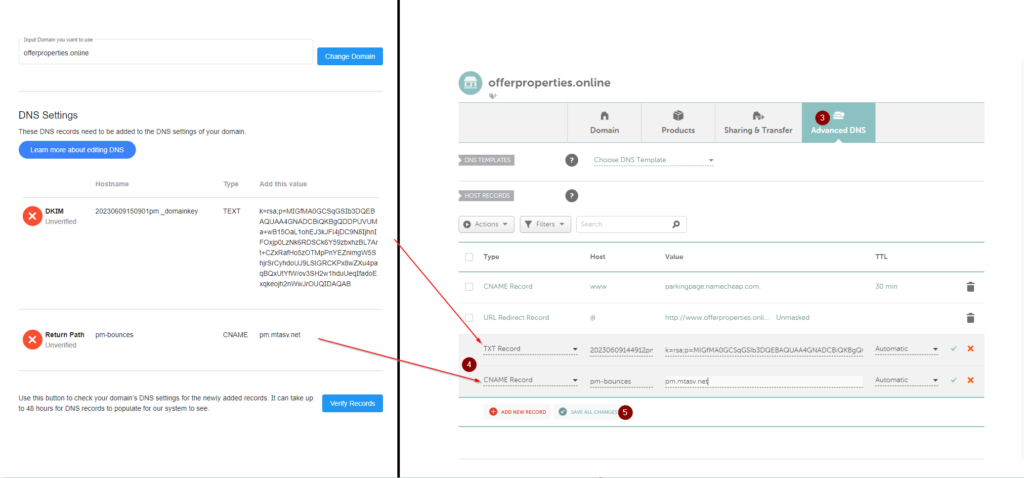
- Go to Advanced DNS tab
- Create the TXT and CNAME records in Namecheap and copy the values from the CRM
- Click Save All Changes to confirm
Squarespace Domains (formerly Google Domains)
Google Domains was acquired by Squarespace in 2023 and existing domains were migrated to Squarespace Domains. If your domain is now managed there, follow Squarespace's custom DNS records guide to add the TXT and CNAME records generated by the CRM.
After adding the DNS records to your domain, follow the guide here to complete setting up the email functionality.
Conclusion:
Having a business domain for email is essential for establishing professionalism, building brand credibility, and enhancing security. It helps ensure that communications are trustworthy and allows for better control over your email infrastructure. These reasons are why a business domain is required to enable inbound and outbound email functionality inside Carrot CRM.
Learn More:
Was this article helpful?