
External Sending
External Sending is available on the Team plan.
External Sending is the ability to automatically or manually send opportunity details to an external, third-party tool depending on the active action in the system. This is especially useful for Dispositions — when an opportunity goes under contract in Carrot CRM, you can push the details to another tool to start the Dispositions process.
Step 1: Add External Sending
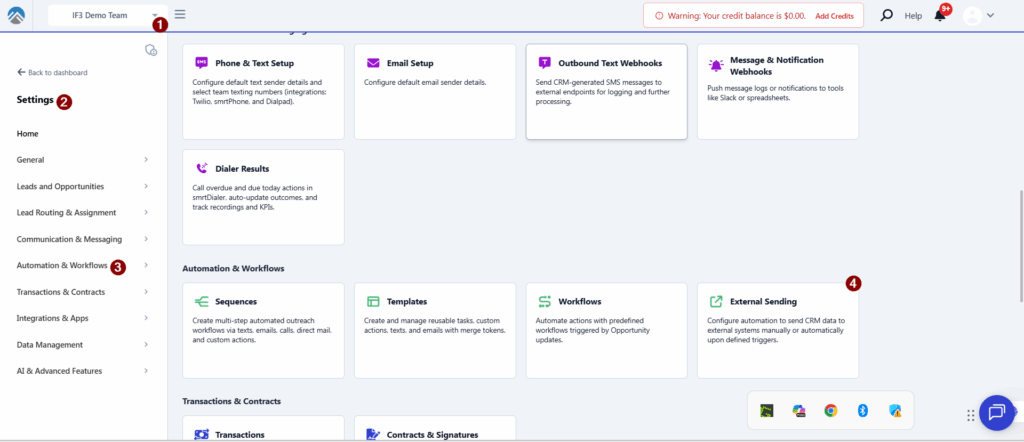
- Select a Team you wish to view
- Click Settings
- select Workflow and Automations
- Click External Sending
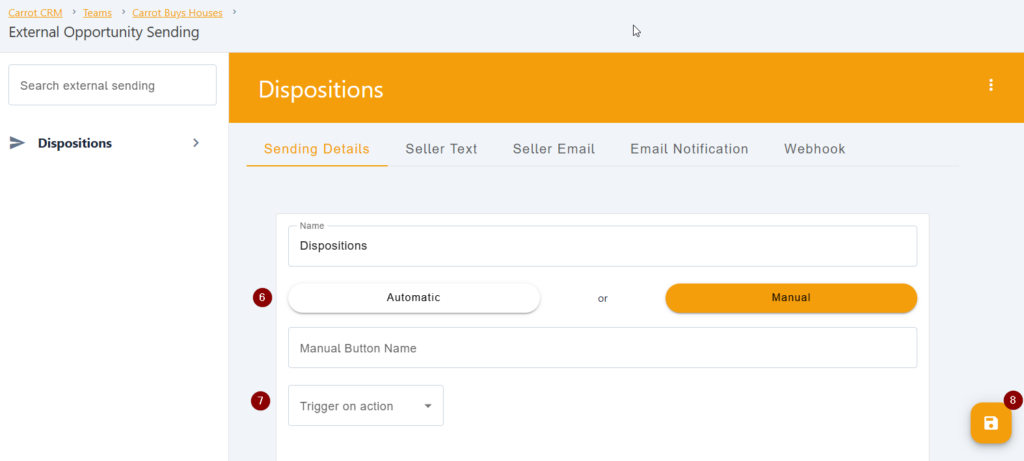
- Input the name of the new External Sending
- Click Save
- In the Sending Details tab, select between Automatic or Manual
- Automatic will immediately send the opportunity details once the “Trigger on action” occurs.
- Manual will create a button and will appear in the Info tab of the opportunity when the “Trigger on action” occurs.
- If you select Manual, enter the name of the button that will appear in the Info tab of the opportunity.
- Select the Trigger on Action for when the system is supposed to send out the opportunity details
- Click 💾 the Save icon at the bottom-right corner of the page
Set up Email Notification
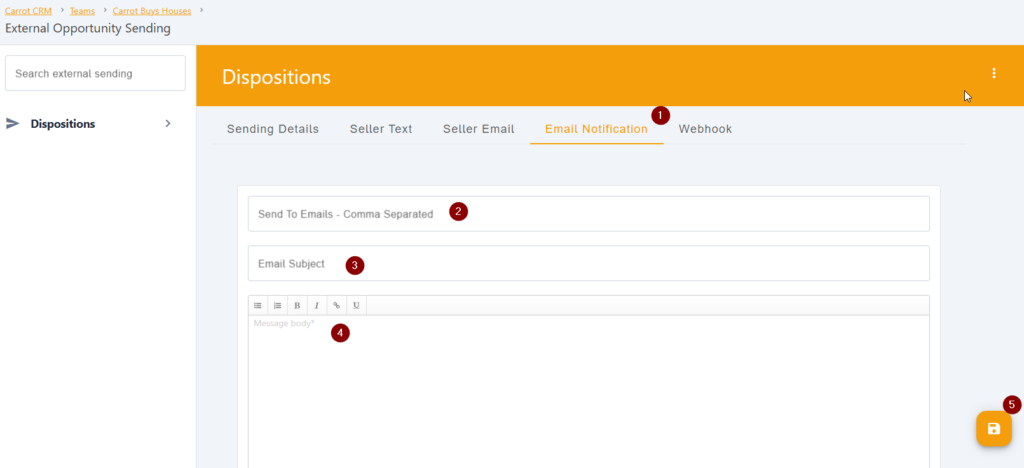
Automatically send an email notification to one or more people when the opportunity is successfully sent.
- Click on Email Notification tab
- Enter the email/s where the notification will be sent to. Separate the emails with a comma if sending to multiple emails.
- Add an Email Subject
- Write the body of the notification. Seller details, opportunity details, and a link to opportunity will populate at the bottom of your email body.
- Click 💾 the Save icon at the bottom-right corner of the page
Conclusion:
External Sending allows for the automatic or manual transfer of opportunity details to a third-party tool based on system actions. It’s particularly useful for Dispositions — when an opportunity is marked under contract in Carrot CRM, the details can be pushed to another tool to kick off the Dispositions process on a separate platform. That’s just one use case; depending on the trigger you select, the same capability works for marketing or acquisition teams too.
Was this article helpful?